Brian
-
Posts
21,858 -
Joined
-
Last visited
Content Type
Profiles
Forums
Events
Store
Downloads
Gallery
Everything posted by Brian
-
 I think it sounds like a great idea. I have yet to see a Nihonto collector with no interest in other aspects of Japanese culture. Will be an interesting show, and one that you can definitely take the partner to, and they will find something of interest. Perhaps it might be time for me to finally plan that trip to the USA that I have been wanting to do for years. Hmm. Wish you good luck..and hope for lots of Japanese participants. Brian
 -
Tatyana, Jû means "resident of" so it is Fujii Kaneoto, resident of Seki, made this. Brian
-
What Rich said. Do not clean. If you ask any antiques collector (in almost any field) they will tell you that the biggest mishap that can happen to any antique, ever..is cleaning by non-professionals. This goes for all fittings. Leave it to the guys who are experts. I have heard of people cleaning off what they think is paint on old tsuba..removing the intentional laquer layer that was put there. If someone would like to write a short post titled "Do Not Clean" or similar...I will make it a sticky at the top of this forum as a warning to newcommers in the future. Brian
-
There is this one in the links page: http://www.lostdays.org/shinsakuto/Default.asp Shinsakuto.org Would be worth a browse through there I think. Brian
-
Does resemble, I'm afraid. The sword is not a legit WW2 shin gunto. There are some odd things about this one..even for a fake. Upside down mei is not unheard of on the Chinese fakes..but I haven't seen them copy a real smith then. Could be a tang that is cut off another sword and welded on..but not really sure. Nobody was correct in that the ana is far too low down. I think they used a picture when they copied the signature..and scribed the signature the wrong way round since the pic probably didn't show which way was up. That makes sense. But either way..I'm afraid it is probably a fake. Btw..what do the fittings look like? If we can see the tsuka and fittings..that will probably tell for sure. Brian
-
I have noticed that the only link I have for the NTHK: http://nihontoken.org/e_index.html seems to be dead. Does anyone have an updated link, or any idea if it is temporary or permanent? Any alternative sites for them? Brian
-
Looks to me to be a possible fake too. That shape of the nakago is suspicious, and the rust looks artificially applied. The mei strokes don't look well chiselled and done as a sloppy afterthought. The machi are badly done..even if it is machi-okuri. Odd that they would fake a WW2 smith though. Maybe it is a post war fake to sell to returning soldiers? Can't say for certain it is a fake..but it is looking that way. Brian
-
Yes..and a very good one at that. But since there may be others with javascript disabled, and since without it there is no sign that there ever was a links menu at all, it is better to have a non-js page too. I think there are still many older collectors (and some younger ones too) to whom the workings of the internet and browser settings is still a minefield of confusion Brian
-
Thanks for pointing that out Rich. Slipped my mind. I have now added a link on the front page, and on the links page, to a html text based links list too, so that people who have JS disabled can still view the links. Keep the comments comming. Regards, Brian
-
Thanks John, Done. Top left of the page. But in an hour I will be changing the "Links" link above to direct to a new links page. I have also added about 30 more links. I plan on making this the definitive Nihonto links page on the net, with over 100 working links. I am constantly finding new pages that I missed, and ones that I never knew existed. Brian EDIT - Changes now done include the links on the main entry page, and also a new links page that can be reached from the top of the forum. There are currently over 100 working links, which should make this one of the most comprehensive Nihonto links collections. The first link also links back to the NMB. External links open in a new page. Please let me know your comments and advice.
-
Just want to clarify..I am not refering to the links at the top of this page (forum itself) I am talking about the new links bar on the main entry page linked above in this post. There are about 75 links there..including all the NTBHK branches mentioned and many that I am sure we often forget about. Will add more as I come across them. I have separated them into the different categories from commercial to informative to restoration etc. I would like to eventually add them to the top of this forum too..will be working on that over time. The links at the top of this page are on Rich T's Nihonto Kanji Pages site, and are already an excellent resource. Regards, Brian
-
All, Just spent the last 5 hours adding a new dropdown links menu to the mainpage: http://www.militaria.co.za or http://nihontomessageboard.com Please refresh your browser or empty your cache to see the new links. I have tried to include a large variety of Nihonto links..including some usually missed. Please check them out, and let me know which ones I missed. I am sure there will be plenty. Apologies if I skipped anyone, I will be adding more over time. I will be working on the colours and look a bit, but wanted to get it up before 1:00am (might just make it ) Please let me know if it is of some use. Regards, Brian
-
MH, Just go to the How To forum and there are instructions on how to upload pics here. Easier than using Yahoo. Brian
-
The sites of Osaru disappered.
Brian replied to Nobody's topic in General Nihonto Related Discussion
That would be a real pity, as I found it to be one of the best educational sites (after Rich S's) on the net. Does anyone have any contact with the author, and is able to find out if it will be back online sometime, or if we can use some of the info in it? Brian -
The Yakiba website belongs to one of our forum members... Ed Marshall. A great guy, and excellent to deal with. You will often see his posts here. No worries there..deal with confidence. Brian
-
Dan, Check out this forum for some advice: http://www.kendo-world.com/forum/showthread.php?t=7424 Afraid I can't tell you any more than that about Paul Chen swords, as they aren't Nihonto as you wrote, and I am not familiar with them. I would think they are ok, but there are better choices. A good google search should pull up much more info. Regards, Brian
-
They are widely regarded as one of the good dealers to deal with. Fair prices, and honest. I haven't heard anything bad about them at all. As always, get a few other opinions first, but I think you should have pleasant dealings there. Some of the polishes look to have been done non-traditionally on a few blades, but not sure if that is before they were supplied for sale or not. Brian
-
Grey, Sorry to use this post as an image upload tutorial..but it seems so appropriate :D First post - It's an ftp site, not http, so won't display Second Post - Using html is fine, but you left out the last " after the image name and didn't need the [/img] since you are using html. Would have displayed fine (but the pic is not at that location anyways) Third Post - Would have worked, but needed the http:// before the address. (Image not at that location now) Fourth post - Fine Hope you didn't get too frustrated. Brian
-
John, It could well be, I am not very clued up on shakudo. But it has always been my impression that the rich blackish purple colour of shakudo does come from later patina treatment, and not from its alloy state. I think it always looks like copper/brass until it has been treated. The mix of gold can vary from 3-8%, but I think 4% or so is the most common, and more gold does not make for better shakudo. Again..just what I have been led to believe. Perhaps some patina treatments go deeper than others? Brian
-
Thanks Guido, that's very helpful info. It is the first I have heard mention of different shapes of mekugi ana. Is there any particular reason known for the shapes (besides the decorative aspect) ie is there any function to this? Would love to see any images of other shapes. Much appreciated, Brian
-
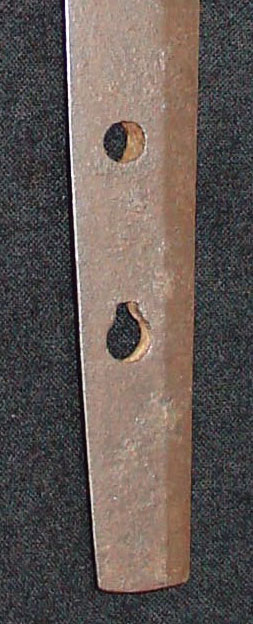
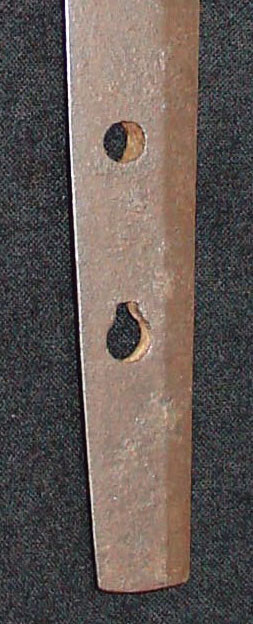
In a recent auction, a seller in Japan described this shape of the mekugi ana as Kamakura style. I have not read anything where the shape of the ana can indicate an age, but this is quite an unusual "keyhole" shape, and doesn't seem to be formed by another closely drilled hole. Does anyone have any info on whether or not this shape is typical of any style or era, or is it just an anomaly that indicates nothing in particular? Brian
-
Henry and others, In line with the views and votes expressed in the poll, I have decided to go with the overall choice that General Discussion will be kept to discussions loosely revolving around the overall theme of the site. See the post in GD for a few general guidelines. Thanks to all who participated in the poll and gave their viewpoints. Brian
-
A sword stand with class...
Brian replied to S.Haugtredet's topic in Auctions and Online Sales or Sellers
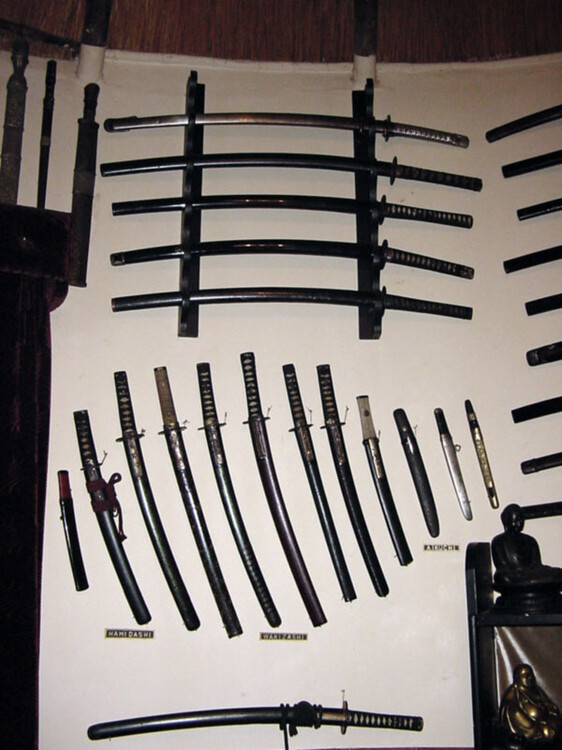
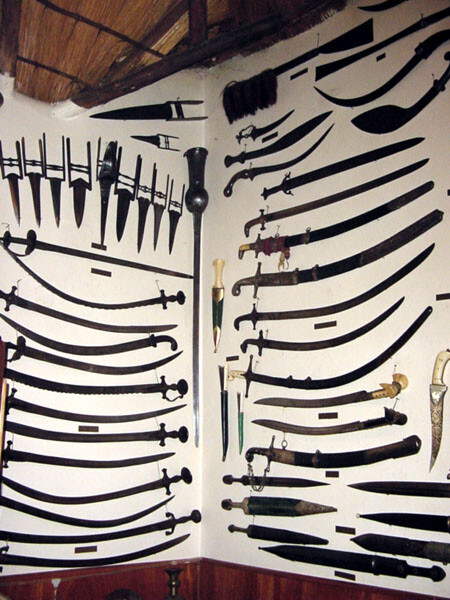
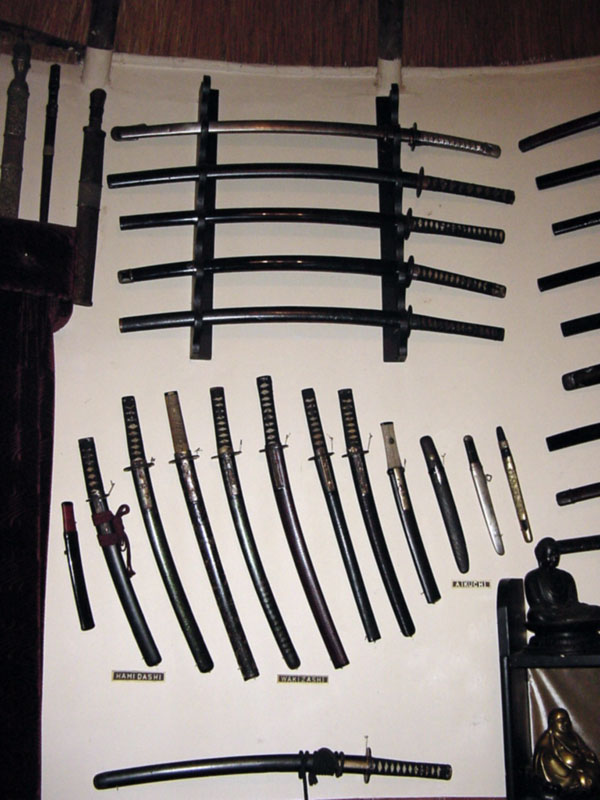
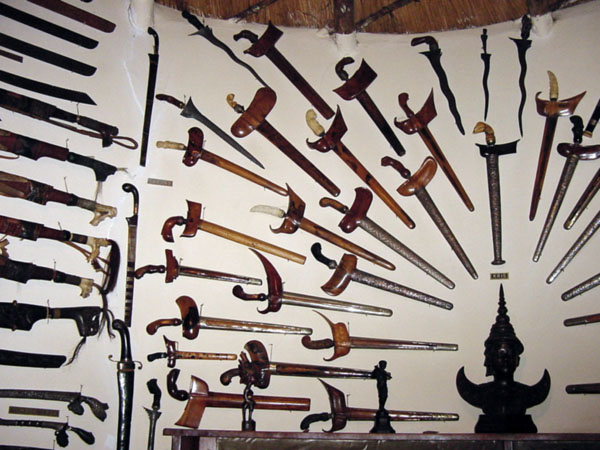
He specialised in all Eastern weapons...with an emphasis on Japanese. Just a few more for the guys interested in other Eastern weapons too. This is not even close to the whole collection. I wish I had the money..and was collecting 40 years ago Brian